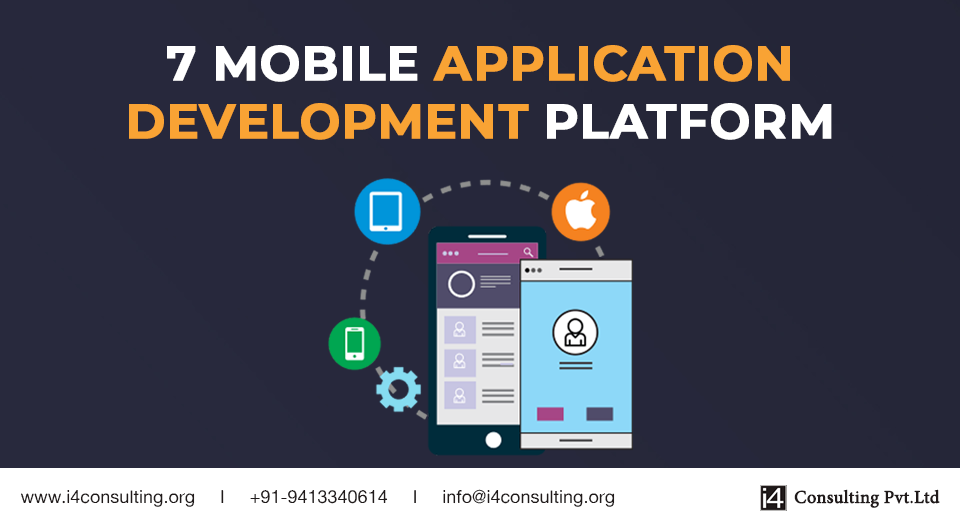
A mobile application development platform (MADP) is a type of software where developers build a mobile app for smartphones and tablets. MADP is very useful for enhancing the business as nowadays mobile usage is increasing rapidly. Business can build their own mobile application development or they can buy third-party resources available on market. The MADP is used in both backend and front-end development tools for application programming interface (API). There are a lot of platforms on which we can work and according to our needs we choose the best suitable MADP for our use.
MADP has many platforms like Android Studio, Apple Xcode, Kinvey, Kony, Microsoft’s Xamarin, Appcelerator, Appzillon, and much more. Kinvey introduces us to both IOS and android on which we can build our app. Apple Xcode for IOS whereas Android Studio works on Java and C and C++ also included in it, kotlin is also the new language where coders like to code. Cross-platform mobile app development is the process which is also infamous as it forms hybrid or native apps that runs on the different operating system.
Now take a look at breeds of MADP-
Kony App Platform is very useful for developers with skills in JavaScript. They can use this platform to create both native and cross-platform apps. The greatest advantage of Kony is the drag-and-drop feature that they include from Kony Marketplace, or from their API libraries. Developers can re-check the connectivity of APIs.
Pros:
Kony has sample apps to educate the new developers. It has a wide range of backend systems.
Cons:
On the web, there is not enough documentation and support for Kony. Due to that beginners not go for it as compared to other platforms.
Android Studio is a blessing for Android developers as it has many useful descriptions and trusted MADP. Android Studio has many shortcuts and SDK according to the targeted device as on which we want to run the app. APIs connectivity is also easier and according to SDK functions and their usage changes in Android Studio. Here, XML code is easy to written and its implementation is simple.
Pros:
It has easy shortcuts and working on XML is simple and a description of every function given in detail so according to that we can use them.
Cons:
It needs very good hardware to run it. Slow working might be because of the performance of hardware. Java code in it gets a little bit complex as the project increases.
Apple Xcode is the mobile application development platform for IOS developers and the languages used in it are Swift, Objective-C, and also use of C, C++. Xcode is a quite fine platform as all IOS developed applications run on iPhones and IPads. All codes are in a shortcut manner and easy to implement.
Pros:
The Drag-and-Drop feature is widely used in it and it is the main advantage of Xcode to design the app. And the codes are in it are not that lengthy.
Cons:
Developers have to take the permissions for the services that they want to include in the application. Apply all such services on it and again they have to wait for confirmation from Apple.
Appcelerator platform provides the cross-platform native mobile app development for JavaScript and also for the backend. The code which we write on it can be reused to 60%-90% on multiple platforms. On it, we use JavaScript-based APIs for IOS, Android, Windows, Blackberry, and HTML5.
Pros:
Rapid Prototyping accelerates the use of it wherein few hours and few lines of code we can build a full app. In this we use the JSON format for data transfer, JSON is the encoder for JavaScript and Appcelerator fully works on JavaScript APIs.
Cons:
Documentation is not always great many times we face some problems in it. There are lots of trial errors in it. We need specific coding for both IOS and Android.
In Kinvey’s platform, there are solutions that allow developers to think and build the best apps. Client libraries give all the features for all native, hybrid, and web development frameworks.
Pros:
BaaS (Backend-as-a-Service) is the cloud backend service that is trusted for app development projects and it is easy to connect with the app with BaaS. Kinvey also gives an attractive plan as 100 active users can store 2GB of data with 5 million notifications.
Cons:
There are some chances of coding damage as you wrote some code and in the future, it can be manipulated. It is not good for bigger projects as we have to face difficulties in it and also in testing. Also maybe our data can be loosed.
Appzillon is a cross-platform mobile app development platform that provides us security control (advanced security), advanced UX tools (like geolocation), and much more. It supports an in-built transition library. Appzillon has strong experience in the banking sector so many designs of it are based on commercial banking.
Pros:
It creates apps with great security and high usability for users. As for banking purposes, it makes apps with alpha grade security and for data allocation it is fine and everything is protected through it. Also, app development is pretty rapid.
Cons:
The problem of management rises as the apps are created for banking purpose all such banking problems also generates. Location problem as it always needs GPS service as sometimes it loses the power in device and causes a loss of information.
Microsoft’s Xamarin is used to create Android, IOS, and Windows apps with great precision. It also develops native apps for android, IOS, and windows which are easy to implement and rapidly work. Languages on it work are C#, CSS and XAML these are used in Xamarin.
Pros:
Xamarin gives us full developer support. It has many learning opportunities and also through which stability and performance are also high. Developers with great skills in C# will love Xamarin.
Cons:
There is no code reusability in Xamarin as if we switch the platform it will not work on another platform. API problem as it takes time to update the APIs according to SDK in which we are using it.